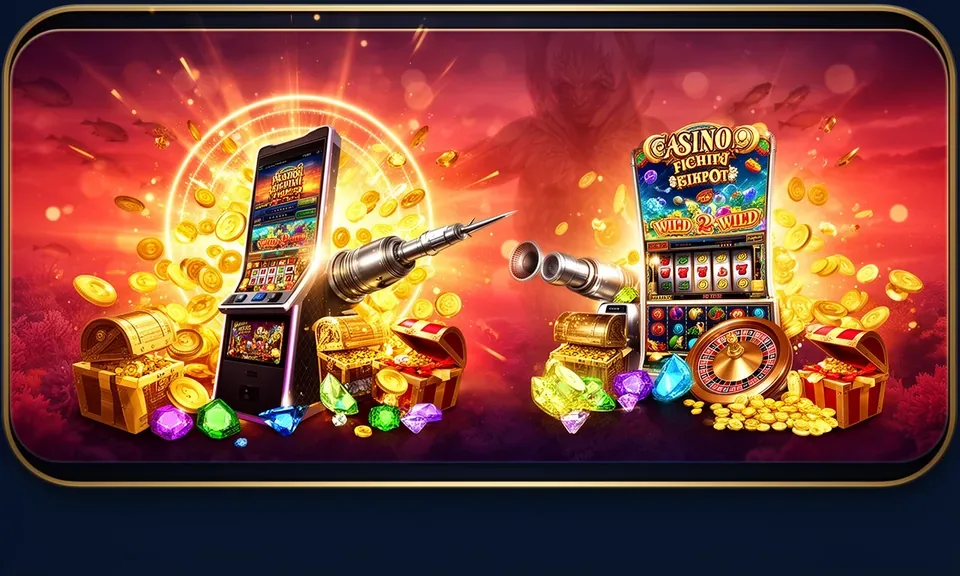
The 55bmw6 mobile experience runs through your phone browser — open the current domain, sign in to your account, and the lobby loads directly on your screen. Check the site for any published native app build; availability depends on local law and eligible regions.
You do not need a separate install to reach the lobby. Open 55bmw6 in your phone browser — Chrome on Android and Safari on iPhone both render the site layout cleanly. Once the page loads, tap the sign-in button and enter your account credentials. If you have two-factor verification set up, follow the prompt shown on that screen. After login, the full game lobby is available: slots from CQ9 and JDB, live tables, and the sportsbook section covering basketball including PBA and NBA markets. The navigation bar stays fixed at the bottom of the screen so you can switch between sections without scrolling back up. Should the site not load on the first attempt, clear your browser cache and try again — this resolves most display issues on mobile connections.
Open the current domain
Type 55bmw6 into your phone browser address bar. No redirect or mirror link is needed — the main domain loads the full site on supported devices.
Check your browser compatibility
Chrome and Safari are confirmed to render the site layout correctly. If you are on a less common browser, switch to one of these two before logging in.
Sign in to your account
Enter your registered email and password on the login screen. Follow any verification step shown — the fields and instructions are displayed in the login form itself.
Browse the lobby
After login, the game sections and account dashboard are accessible from the bottom navigation bar. Tap any category to start browsing.
DEVICE AND BROWSER CHECK
What Devices Work with the 55bmw6 Mobile Site
The 55bmw6 mobile site is built on a responsive layout, meaning it adjusts to the screen size of your phone or tablet automatically. You do not need a high-end device to access the lobby — the layout is designed for mid-range Android phones and current iPhone models running standard system browsers. What matters most is that your browser is up to date, since older browser versions may not render interactive game elements correctly. Your account credentials stay the same across desktop and mobile — there is no separate mobile account. If you are checking whether a native app file is currently available for download, look for the published notice on the site itself or ask the support team through the live chat channel.
Browser requirement
Updated Chrome on Android or Safari on iOS gives the most consistent display. Older browser versions may cause layout or loading issues with certain game tiles.
Screen layout
The site adapts to portrait and landscape orientation. Game tiles, the lobby rail, and the account menu all reflow for smaller screens without a separate mobile stylesheet.
Account access
Your existing 55bmw6 account works on mobile. No secondary registration or mobile-specific login is required — same email, same password, same dashboard.
Native app availability
Whether a dedicated Android or iOS app file is currently published is shown on the site directly. Check the app or download section in the main menu after login for the current status.
Connection note
A stable data connection — either mobile data or Wi-Fi — keeps game tiles loading without interruption. Switching between networks mid-session may require a page refresh.
HELP FOR MOBILE USERS
Support Channels When You Access on Mobile
If you run into a login problem, a page that does not display correctly, or a question about whether a native app build is available for your device, the support team is reachable through the channels below. All three routes accept questions about mobile access specifically — you do not need to explain that you are on a phone, just describe what you see on screen. For account recovery or credential issues, have your registered email address ready before you contact support, since that is the first detail the team will ask for.
Live chat
Open the chat widget from the bottom of any page — it works on mobile browsers the same way it does on desktop. Describe your screen and the team will walk you through the fix.
Email support
Send a message to the support address shown in the Help section of your account dashboard. Include your account email and a brief description of the mobile display issue you are seeing.
In-site help section
The Help or FAQ section inside your account lists common mobile access questions, login steps, and guidance on where to check for any published app download notice.
ACCOUNT SAFETY ON MOBILE
Checking Access Safely on the 55bmw6 Mobile Site
Accessing your account through a phone browser carries the same security considerations as desktop. A few practical checks keep your account in good shape. Always confirm the domain in your browser address bar reads 55bmw6 before entering your credentials — this rules out look-alike pages. Use the account recovery path published on the login screen if you forget your password rather than sharing credentials with a third party. If you download any file described as a 55bmw6 app, verify it against the notice published on the official domain first. The support team can confirm what is currently distributed and from which source.
Verify the domain
Before logging in, confirm the address bar shows 55bmw6. This is the simplest check against phishing pages that copy the site layout but capture your login details.
Use published recovery steps
If your password does not work, use the 'Forgot password' link on the login screen. The recovery email and steps shown there are the account team's official path.
Check app sources
Any app file distributed on behalf of 55bmw6 will be referenced on the domain itself. Do not install files from unverified links shared in group chats or third-party sites.
Protect your credentials
Do not save your login password in a shared device's browser. The account dashboard lets you review active sessions — use it to log out remotely if needed.
INSIDE MOBILE NAVIGATION
What the 55bmw6 Mobile Layout Actually Shows You
The mobile layout of 55bmw6 keeps the main sections reachable from a fixed bottom navigation bar: the lobby, your account, and help. The lobby opens to a horizontal discovery rail where game tiles from JDB, CQ9, and other assigned studios are displayed by category — slots, live casino, crash games, and the sportsbook. You can scroll the rail sideways to browse titles like Go Rush Crash or Pattern Bingo without leaving the category view. The account section shows your wallet balance, transaction history, and account settings on a single scrollable page. The help pages load as standard mobile web pages, so they are fully searchable and do not require a separate app session. Nothing about this layout infers offline access or push notifications — those depend on whether a native app is separately published and available for your device.
MOBILE PAGE BEHAVIOUR
How the 55bmw6 Mobile Site Behaves on Your Screen
The rendered mobile page is built for phones first, not scaled down from a desktop view. Each section below describes something you can verify by opening the site on your device right now — no install needed to check any of it.
Responsive game rail
The lobby displays game tiles in a horizontal swipe rail. Titles like Night Market 2 and Go Rush Crash sit inside category rows you can scroll without a page reload. The layout recalculates for different screen widths automatically.
Account dashboard on mobile
Your balance, recent transaction records, and account settings are on one scrollable page after login. No separate mobile dashboard — it is the same account, presented for a smaller screen.
Game discovery by category
Slots, live casino, crash games, and the sportsbook — including basketball betting — each have their own category entry in the bottom navigation. Tap to filter the lobby without reloading.
Help pages in-browser
Support articles, access steps, and the FAQ section open as regular web pages inside your browser. You can read them, copy a support email address, or open live chat from the same screen.
COMMON APP QUESTIONS
Questions About the 55bmw6 App Answered
These are the questions we see most often about mobile access and the 55bmw6 app. Each answer reflects what is currently verifiable on the site — check your account dashboard or the in-site help section for the current state of any item that may change.
Do I need to download anything to access 55bmw6 on my phone?
No download is required to use the mobile browser version. Open 55bmw6 in Chrome or Safari, sign in, and the full lobby loads in your browser. Whether a native app file is currently available is shown in the app or download section of the site after login.
Is there an official 55bmw6 app for Android or iPhone?
The current status of any native Android or iOS app is published on the domain itself. Check the main menu or Help section after logging in for the most accurate information. Do not install any app file from a source that does not match the official 55bmw6 domain.
Which browser works with the 55bmw6 mobile site?
Updated versions of Chrome on Android and Safari on iPhone give the most consistent experience. If game tiles or the login form do not load correctly, update your browser first, then clear the cache and reload the page before contacting support.
Can I access the same account on mobile and desktop?
Yes. Your 55bmw6 account, wallet balance, and transaction history are the same across all devices. There is no separate mobile account — log in with your registered email and password from any browser on any device.
What do I do if the 55bmw6 site does not load on my phone?
Clear your browser cache, check that you are on a stable data or Wi-Fi connection, and try again. If the issue continues, open the live chat support from another device or send a message to the support email shown in your account's Help section describing what your screen shows.
Does the 55bmw6 mobile site work for games like Go Rush Crash and Pattern Bingo?
Both titles are accessible from the mobile browser lobby. Open the crash games or slots category from the bottom navigation after login and the tiles will appear in the swipe rail. Game performance depends on your connection speed and browser version.
 Live / Mobile